
Who can manage workflows
By default, only users with the Admin role can view, set up, turn on, or turn off workflows. Because workflows can change tracker settings and shipment statuses, this access is restricted by default.
Granting access to other roles
Admins can extend workflow access to other roles through the Edit Workflows permission. To grant it, go to Organization → Users → Manage Roles, select the role you want to update, scroll to the Edit Workflows permission, and turn it on. This covers viewing, activating, and deactivating workflows, not just editing. Users in that role will then be able to view and manage workflows.
.gif?width=670&height=336&name=chrome-capture-2026-06-15%20(1).gif)
Until an Admin grants that permission, Standard users and Viewers won't see the Automations controls.
Seeing what a workflow did: the audit trail
Workflows run quietly in the background. There's no indicator on your shipment list when one is active or has acted.
To see what Workflow Automations has done, open a shipment and look at its Comments. Every time a workflow acts on that shipment, it posts a timestamped comment recording:
- What happened (started, changed a setting, sent an email, completed the shipment, or ended without acting)
- when it happened
- for escalations, what was sent and to whom
This is the source of truth for automated activity. If you're ever unsure whether a workflow ran, or why it didn't take an action, the shipment's Comments will show it, including cases where a workflow evaluated a shipment and decided not to act.
Requesting a new workflow
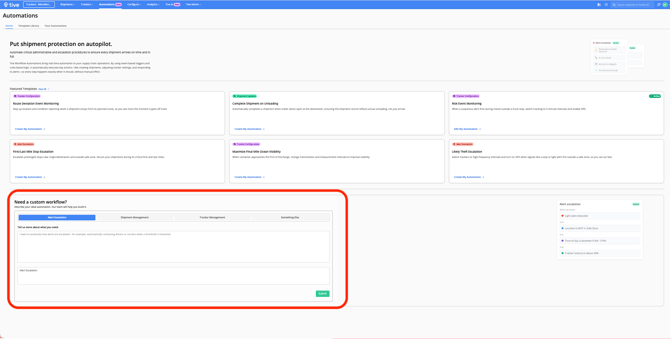
The Automations homepage isn't only a library of existing templates. It's also where you can tell us what you want automated. If a workflow you need doesn't exist yet, you can submit a request describing it directly from the homepage.
Tive's product team reviews submitted requests and considers them when prioritizing what to build next. The workflows that get built are shaped by what customers actually ask for here.
Note: Submitting a request isn't a commitment to build it. Requests help us understand demand and prioritize, they're an input to our roadmap, not a promise that a specific workflow will be developed or delivered on any timeline.
Before you start (applies to all templates)
- Apply the triggering alert to your shipments. The most common reason a workflow never runs. No alert on the shipment means no trigger.
- Platform tiers vary by template. See each template's header. Risk Event and Likely Theft require Plus/Premium platform; Route Deviation requires Premium platform; Red Zone Stop Escalation requires Plus/Premium.
- By default, only Admin users can see, edit, activate, or deactivate workflows. However, Admin users can grant the Add/Edit Workflows permission to other roles under Users → Manage Roles.