
Overview
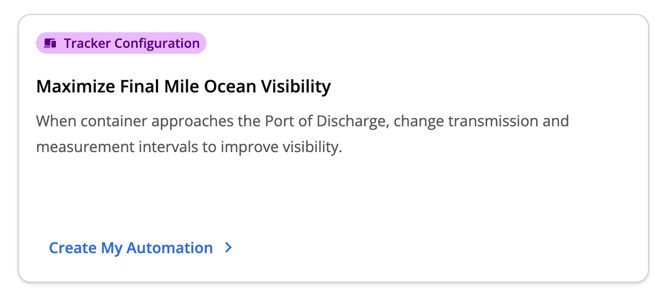
The Maximize Final Mile Visibility on Ocean Voyage workflow helps unlock more granular, real-time data on the last leg of your ocean voyages. This automation relies on container tracking data to determine when your shipment is approaching the Port of Discharge, at which point it automatically changes the Tive tracker’s transmission and measurement intervals to the settings of your choice.
Packaging
This is available for customers on the Premium platform tier.
|
Essential |
Plus |
Premium |
|
❌ |
❌ |
✅ |
Getting started
- To enable this feature, navigate to the Automations tab in the global navigation bar.
- On the homepage, under Featured Templates, locate Maximize Final Mile Visibility on Ocean Voyage and click the Create My Automation button to open the template.
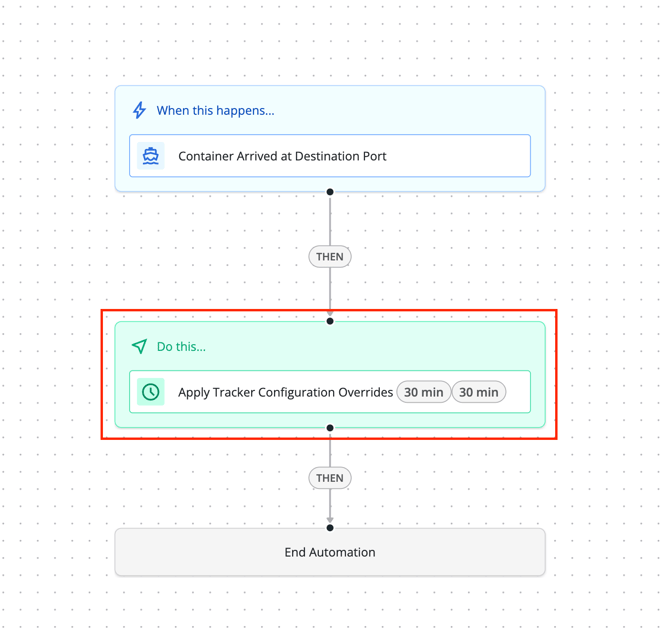
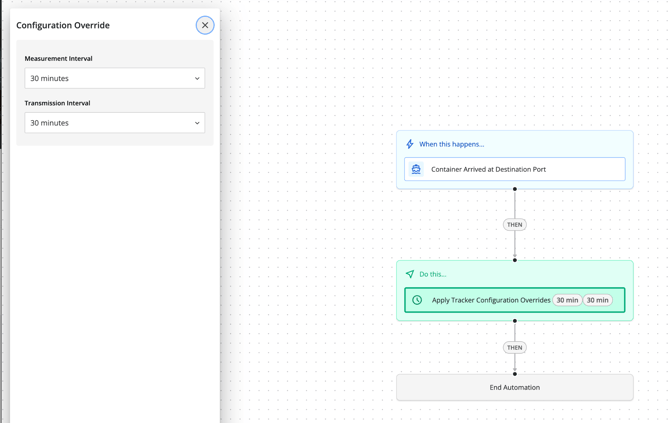
4. In the configuration panel that opens, add your desired final mile transmission and measurement intervals. We recommend 30m/30m or 1H/1H as a starting point.
5. Once you’ve finalized your interval choices, click
Activate Automation.
Note: Users must have the Admin role to configure and enable this feature.
Constraints
- This automation does not change configuration to save battery on the ocean voyage. It only increases visibility on the final mile.
- You must provide a container ID when creating your shipment for this automation to work properly.
- If you’ve set the Port of Discharge as the final destination for the shipment, your shipment will autocomplete when it arrives there, meaning your final mile visibility will be limited. To prevent this, we recommend setting the inland destination as the final destination if you know it.
- Currently, only transmission and measurement intervals can be modified via this automation. Other settings (i.e. GPS) still need to be updated manually.
FAQ
- When does the “Container Arrived at Destination Port” trigger actually fire?
- This fires when the shipment is within 10KM of the final destination port that we determine from the carrier’s booking data.
- What if my container makes multiple stops at ports along the way to it’s final destination? Will the automation trigger prematurely?
- We use third party data to determine the Port of Discharge for your container (even if this is not provided as a stop/destination in the shipment you’ve created). The automation will only trigger when your shipment makes its final approach to the expected Port of Discharge.
Before you start (applies to all templates)
- Apply the triggering alert to your shipments. The most common reason a workflow never runs. No alert on the shipment means no trigger.
- Platform tiers vary by template. See each template's header. Risk Event and Likely Theft require Plus/Premium platform; Route Deviation requires Premium platform; First and Last Mile requires Plus/Premium.
- By default, only Admin users can see, edit, activate, or deactivate workflows. However, Admin users can grant the Add/Edit Workflows permission to other roles under Users → Manage Roles.